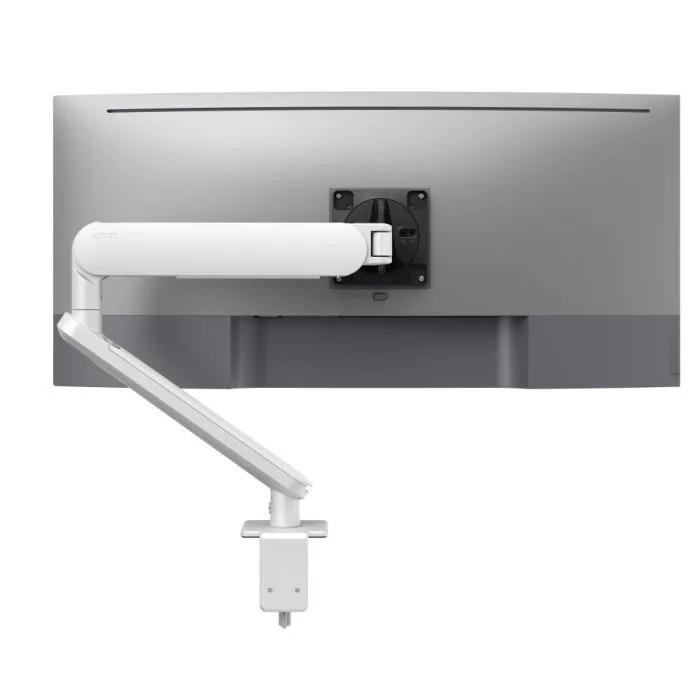
AW-ORA-F-W
Ora with F-clamp, white 2 to 8kg · up to 38-inchToolless height, depth and tilt adjustment, so each user can set the screen where the assessment recommends.
SEE AW-ORA-F-W
Test an Atdec arm on a desk from your last assessment, then take what you learn into your next office project.
A workplace ergonomic assessment looks at one person at one workstation and asks whether the setup puts strain on their body. The output is a list of changes, from adjusting a chair to replacing a fixed monitor stand.
You'll also see it called an ergonomic office assessment or, in older policies, an OHS ergonomics workstation assessment. Many organisations use a mix of formats. Which one fits depends on how many desks you have, where people work and what your WHS lead needs on record.
| Type | How it runs | Best for |
|---|---|---|
| Office ergonomic assessment | An assessor visits the desk, watches the person work and adjusts the setup with them. | New starters, reported discomfort, fit-outs and desk moves |
| Online ergonomic workstation assessment | The employee answers a self-assessment questionnaire, often with photos of their desk. | Large teams and screening many desks at once |
| Home office ergonomic assessment | A self-assessment or video call that checks the home desk against the same points as the office. | Hybrid and remote staff |
| Ergonomic risk assessment | Identifies hazards, rates the risk and records the controls that will reduce it. | WHS records and higher-risk tasks or roles |
Assessments run more smoothly when each team knows its part before the first desk is checked.
Owns the process and the risk records. Decides who carries out assessments, often a trained internal assessor, physiotherapist or ergonomist.
Brings assessments into onboarding, return-to-work plans and hybrid work arrangements, and keeps the employee informed.
Supplies and installs what the report recommends: monitors, arms, docks, laptop trays and peripherals. IT also sets the hardware standard for the next floor.
Use these eight checks as an ergonomic assessment template for any desk, in the office or at home. They follow widely accepted office ergonomics guidance.
This ergonomic assessment checklist is a practical guide, not a compliance document. An assessor or your WHS lead should confirm what each person and each desk needs. For more on posture and setup, read our 10 ergonomic tips.
An ergonomic assessment report usually lists what was found at each workstation, the risk it creates, the recommended change, who owns it and when to check again. Many items are simple adjustments. Others land with IT as hardware.
A fixed stand only tilts, so the screen height is set by the monitor, not the person. Laptops sit low on the desk. Sit-stand desks and hot desks change who sits in front of the screen every day. An adjustable arm lets each person set height, depth and tilt in seconds, without tools.
When the same fix appears across many reports, it's a hardware decision rather than a one-off. Trial the arm on a few assessed desks, check the result at the follow-up, then specify it for the floor. Read why a monitor arm beats a fixed stand on adjustment.
Three Atdec arms that cover the most common monitor and laptop findings, with each one's weight rating.
Toolless height, depth and tilt adjustment, so each user can set the screen where the assessment recommends.
SEE AW-ORA-F-W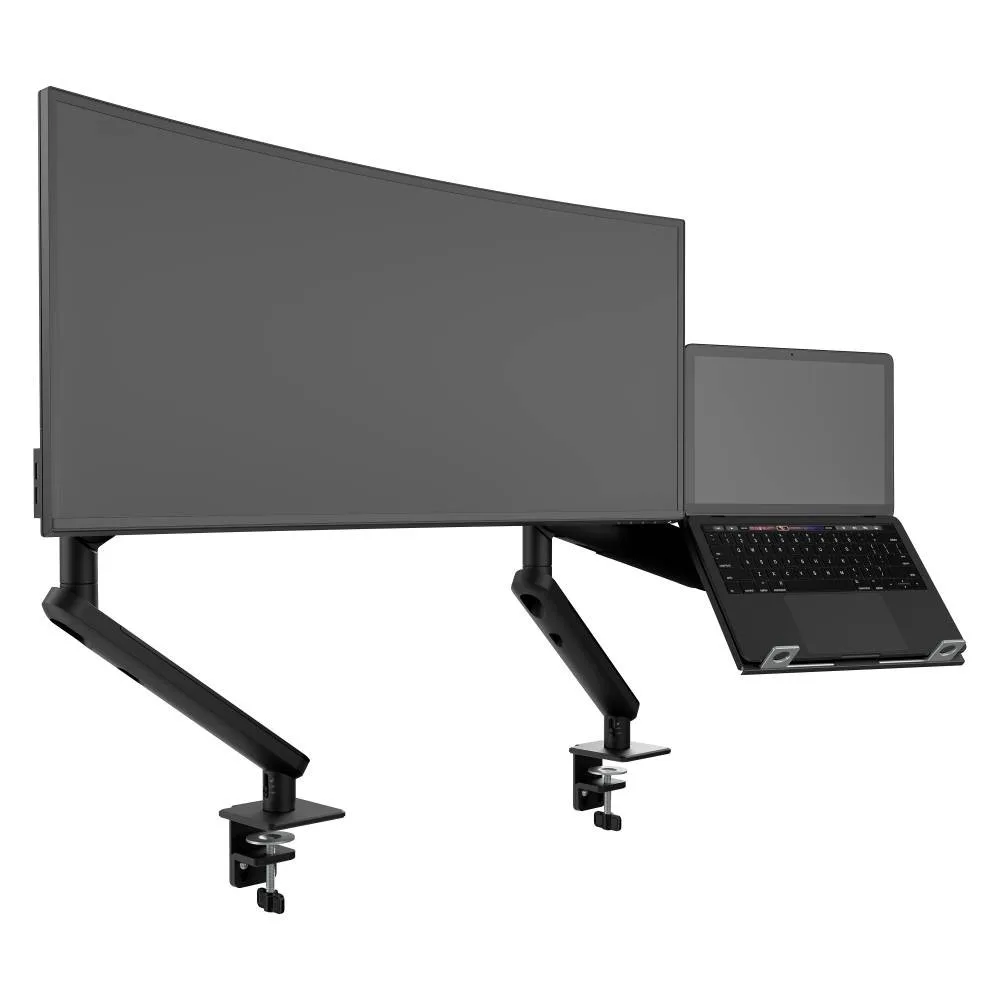
A monitor arm beside a ventilated laptop tray on its own arm, for staff found looking down at a laptop all day.
SEE AWS-N-ORA2-F-B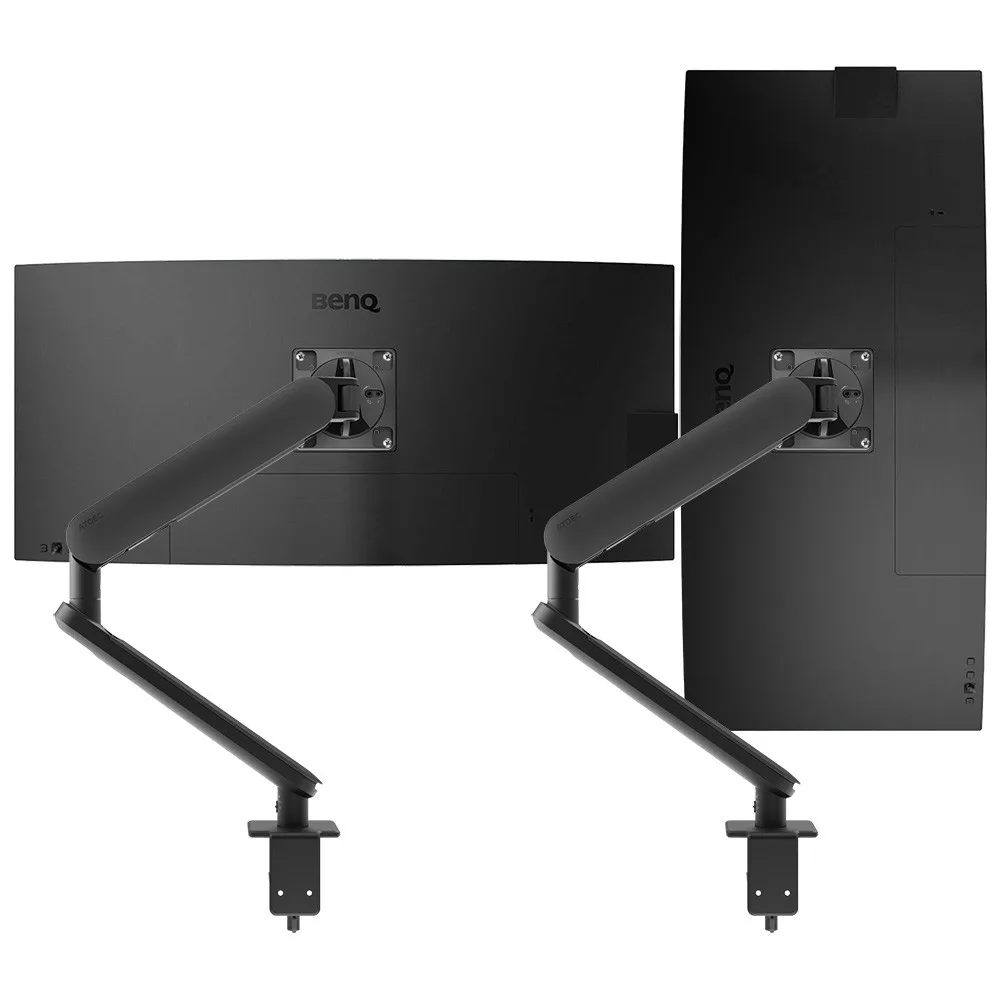
Two independent arms, so both screens on a dual desk can be set to the same height and distance.
SEE AWS-ORA2-F-BBrowse the full range of Atdec monitor arms, or see how a screen turned to portrait works on our vertical monitor page.
When one fix appears on desk after desk, the simplest answer is one system that suits every desk on the floor.
Single monitor arm solution for any combination of landscape and portrait monitors, so IT stocks one system for the whole floor.
Rotation can be locked to 180 degrees or left free to turn a full 360, so arms and screens stop where IT sets them.
Generous cable management bays, drop-on VESA head, post guide marks, and visual tension indication.
A 10-year warranty, local stock and engineering support, from an Australian-owned company designing mounts since 1998.
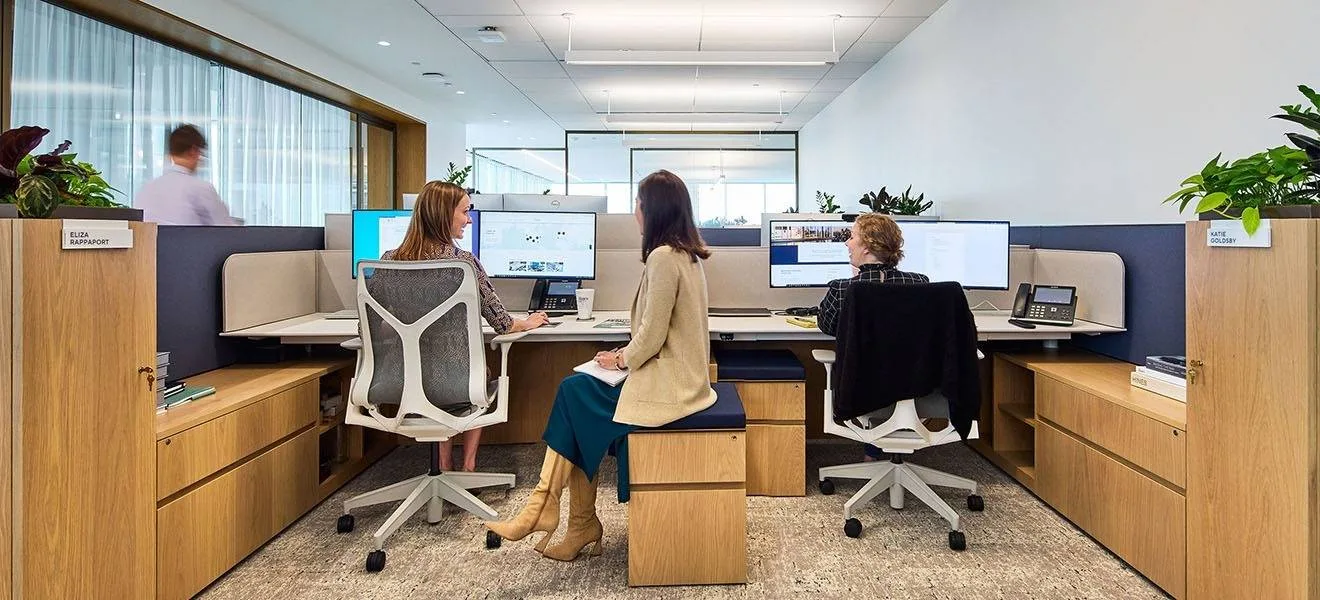
Atdec AWMS-2-D13 dual monitor arms on benching desks, chosen for ergonomic adjustment across varied postures and focal distances, with concealed cable management.
Read the case studyAn ergonomic assessment reviews how a person's workstation and work habits fit their body, then recommends changes to reduce strain. In an office it covers the chair, desk height, keyboard and mouse, screen position, lighting and breaks. The result is usually a short report with findings and actions for each desk. For IT leads, those actions often become hardware requests, so it pays to know which fixes recur before the next fit-out.
That depends on your organisation and the level of risk. Many workplaces use a trained internal assessor for routine desks and bring in a physiotherapist or ergonomist for complex cases or reported injuries. Your WHS lead should decide who is qualified and what needs to be recorded. IT's role is to supply what the assessor recommends and to make sure the hardware standard supports it on every desk.
An online self-assessment is a good way to screen many desks quickly and to cover home offices. It relies on the employee to judge their own setup, so it can miss problems that an assessor would spot in person. Many teams use online assessments first and follow up in person where answers flag discomfort or a poor setup. Check the approach with your WHS lead before relying on it alone.
Many organisations run home office ergonomic assessments as a self-assessment or video call, using the same checklist as the office. The common findings are similar too: laptops used without a separate screen, kitchen chairs and screens set too low. Agree with HR and WHS what equipment the organisation will supply for home desks. A consistent hardware standard across office and home makes those requests faster to approve and support.
Request a free Atdec monitor arm and install it on a desk where the last assessment flagged screen height or a laptop setup. Our team calls first to match the arm to your monitors. Check the result at the follow-up and ask the user what changed in their day. We'll then give you specifications, warranty details and case studies to take your recommendation through purchasing.
Request a free Atdec monitor arm to test with your monitors and your team. It's yours to keep. We'll call first to match the arm to your screens, so you can judge it on a real desk from your assessment before you set the site standard.