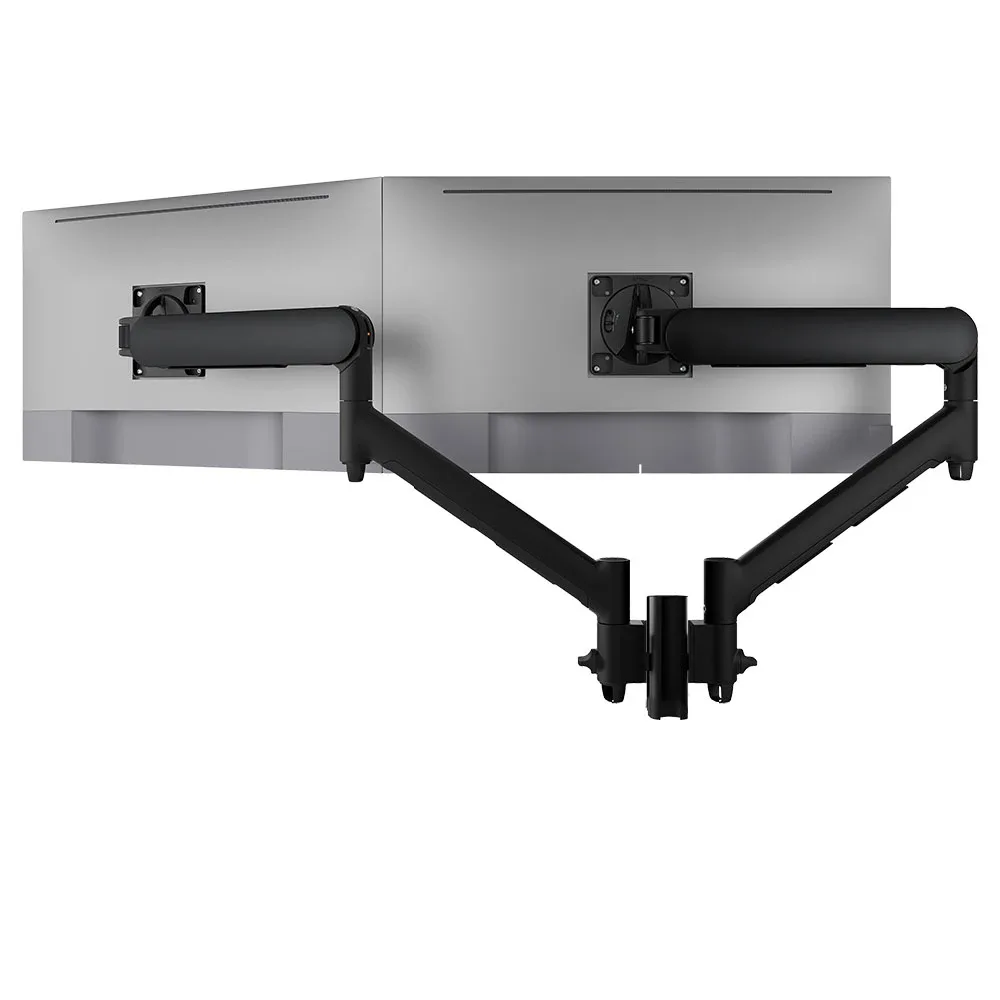
AWMS-2-D13
Dual dynamic arms on a short post 8kg per arm · up to 38-inchFive desk fixing options, including grommet and bolt-through, to suit whichever desks the new floor uses.
SEE AWMS-2-D13
Test an Atdec arm with your own monitors and your own team, then take what you learn into the new office.
Office IT relocation goes smoothest when IT sits in the project from the start. Use this as your office move checklist and work through it in order.
Each phase lists what IT owns. Facilities, the fit-out contractor and the removalists will have their own lists, so agree early where yours meet theirs.
Desks are where people judge the new office on day one. Four checks in phase 5 save rework later.
Buying arms for a whole floor? Atdec packs Ora monitor arms in bulk boxes of 20 for commercial projects, which means less unpacking on install day. Read about bulk packaging for commercial projects.
Three arms from the Atdec range that suit an office move, with each one's weight rating.
Five desk fixing options, including grommet and bolt-through, to suit whichever desks the new floor uses.
SEE AWMS-2-D13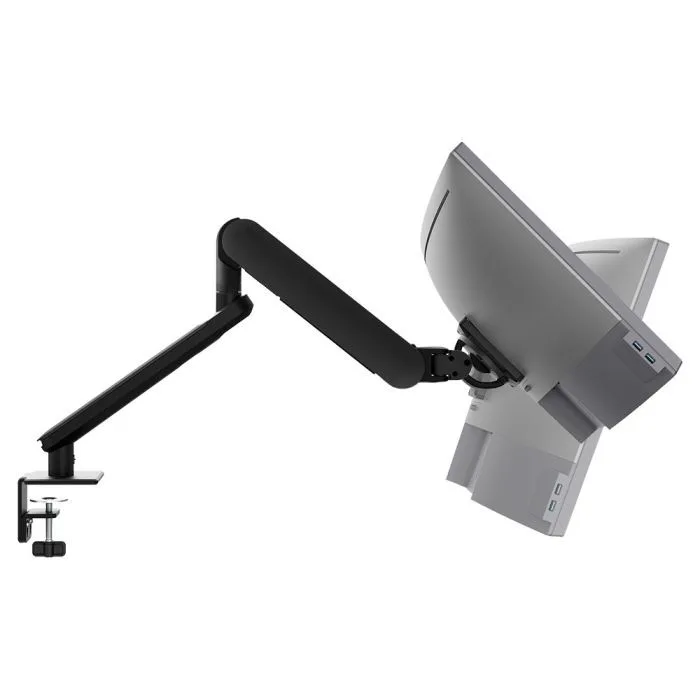
The desk clamp releases without tools, so the arm can move with the desk and be set up again at the new site.
SEE AW-ORA-F-B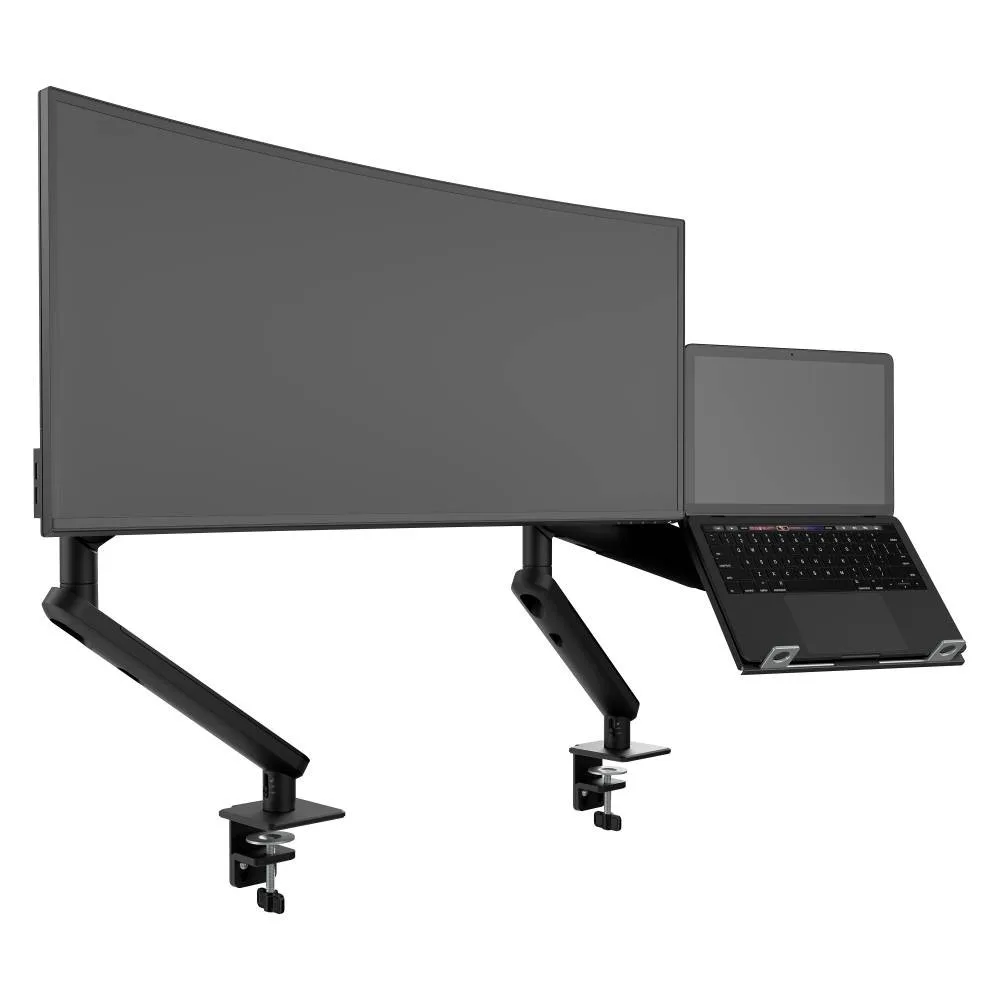
A monitor arm beside a laptop tray, for laptop users and shared desks in the new office.
SEE AWS-N-ORA2-F-BBrowse the full range of monitor arms, or see how a vertical monitor setup works for developers and legal teams.
A move is the easiest time to set one standard for every desk, because everything is being installed at once.
Single monitor arm solution for any combination of landscape and portrait monitors, so IT stocks one system for the whole floor.
Rotation can be locked to 180 degrees or left free to turn a full 360, so arms and screens stop where IT sets them.
Generous cable management bays, drop-on VESA head, post guide marks, and visual tension indication.
A 10-year warranty, local stock and engineering support, from an Australian-owned company designing mounts since 1998.
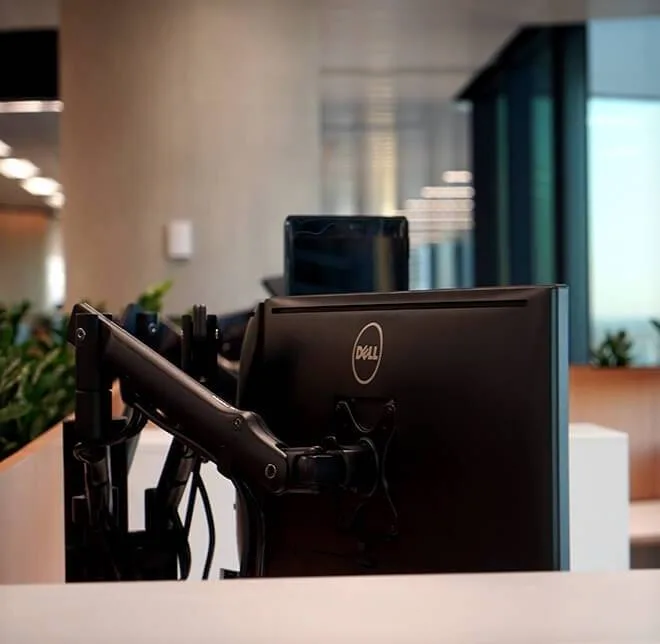
About 500 people moved into 9,500 sqm over four floors at Barangaroo. The new desks took 450 Atdec mounts for two monitors and a laptop, with rotation limiters to keep arms clear of the partitions behind the screens.
Read the case studyIt should cover the whole move from IT's side, from the first planning meeting to the weeks after it. Start with planning and an audit of every device, then procurement, cabling and network, desks and mounts, move week and the weeks after. The audit matters most, because it tells you what moves, what gets replaced and what new kit to order. Put desk hardware such as docks and monitor arms on the list early, since it has to be agreed with the fit-out contractor before the desks arrive.
As early as possible, ideally when the office relocation project management team first forms. Internet services, cabling and desk choices all have lead times, and they are hard to change once the floor plan is locked. Being in the room early also means IT can ask for data points, power and comms room space where they are actually needed. A late IT relocation usually means working around decisions that have already been made.
Check them against the new desks and the screens you are keeping. Arms that clamp to a desk of a different thickness, or that cannot carry the weight of newer monitors, are worth replacing. A move is also a good time to bring every desk onto one arm family, which simplifies spares and support. If you are weighing up a new standard, trial one arm on a real desk first so the decision rests on what your own team thinks.
Work from roles, not desks. Note how many screens each role uses, whether they work from a laptop, and whether anyone reads long documents or code in portrait. Then match docks, monitors and arms to those groups and write the setup into the desk plan. Testing every desk in move week is far quicker when each one follows a known standard. Our guide to dual monitor configurations helps with the layout.
Request a free Atdec monitor arm and set it up on a desk like the ones going into the new office, with your own monitors. Our team calls first to match the arm to your screens, so the trial reflects your real setup. Ask the people using it what they would change, and check how long the install takes, since that multiplies across a floor. Once you are ready, we'll give you specifications, warranty details and case studies to take your recommendation through purchasing.
Request a free Atdec monitor arm to test with your monitors and your team. It's yours to keep. We'll call first to match the arm to your screens, so you can judge it on a real desk before you set the standard for the new office.